
TechWest · Hawke's Bay

The Complete Guide to Getting Your Smartphone Repaired

Everything you need to know before, during, and after a phone repair — for iPhone and Samsung owners in Hawke's Bay.

Featured Repairers
Phone Zone Mobile Point Mobile Paradise Phone Mate
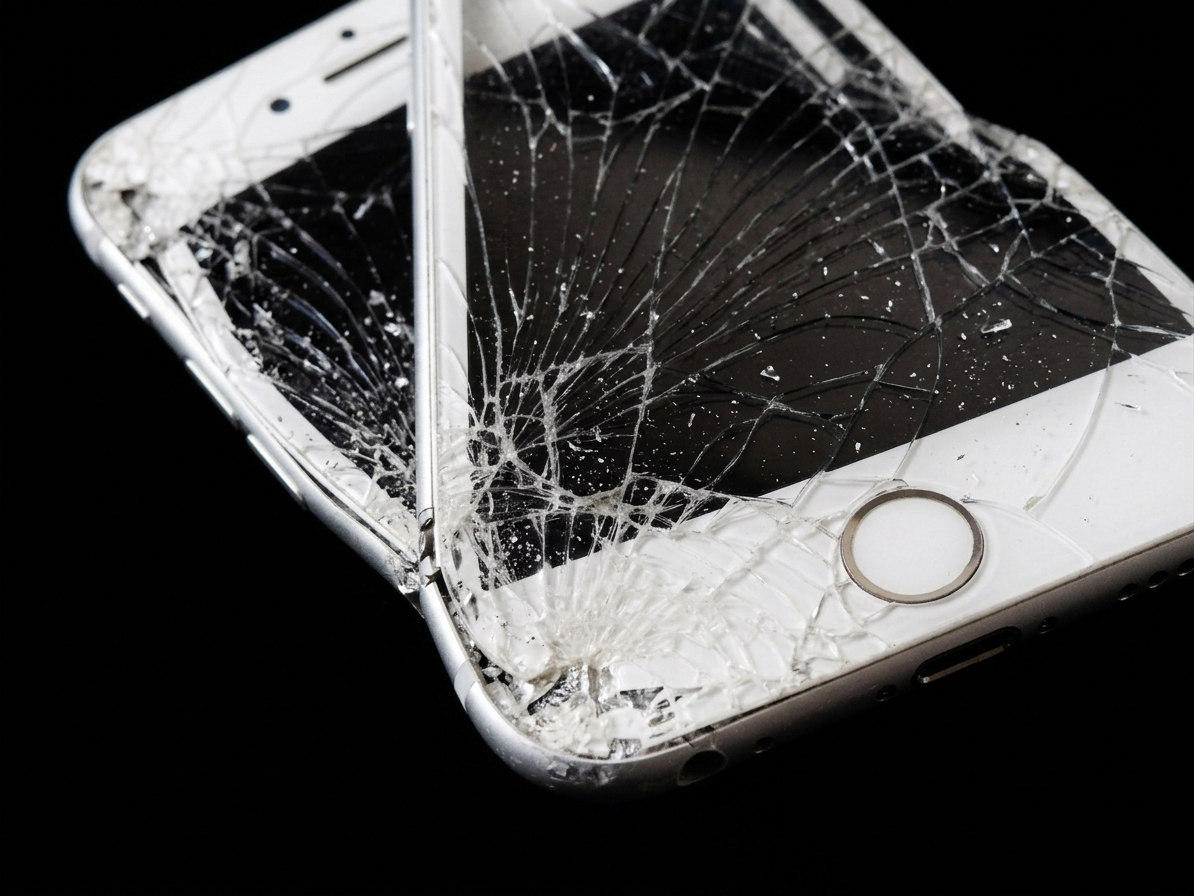
iPhone with a completely smashed and shattered screen showing severe cracking across the full display — a screen replacement repair available from WestSide phone repairers in Hawke's Bay

The kind of screen that needs more than a screen protector

Repairing versus Replacing

A cracked screen or dying battery doesn't mean you need a new phone — unless it's time to flex your phone creds at the next coffee chat catchup. In most cases, getting your device repaired is wayyy faster, cheaper and better than buying a replacement.

A flagship bigly beautiful iPhone or Samsung Galaxy can cost a fat wedge of $1,000 to $2,000 new... yet many of the most common faults can be fixed for under a hundy or two.

This guide walks you through everything you need to know to get your phone repaired in the WestSide. We look at how to diagnose the problem, what components are involved, what to expect in terms of cost and time — and how to choose the right repairer.


Know Your Device First

Before anything else, it helps to understand what you're working with. The repair process, parts availability, and pricing all vary depending on your exact model.

iPhone vs Samsung — The Key Differences

  • iPhones use Apple's proprietary components which can only be fully calibrated using Apple's own tools or authorised software. This affects things like Face ID, True Tone display calibration, and battery health reporting.
  • Samsung devices use more standardised Android components, but flagship models like the S and Z series have become increasingly complex — especially those with curved or foldable displays and glass backs.
  • Both brands have moved toward higher repairability in recent years, partly due to Right to Repair legislation pressure.

Identifying Your Exact Model

Don't just say 'I have an iPhone' or 'I have a Samsung.' Knowing your exact model matters — parts and prices differ significantly between, say, an iPhone 13 and an iPhone 13 Pro Max, or a Samsung A54 and an S24 Ultra.

  • iPhone: Go to Settings > General > About > Model Name
  • Samsung: Go to Settings > About Phone > Model Number

Checking Your Warranty Status

  • Apple: Check coverage at checkcoverage.apple.com using your serial number
  • Samsung: Check via the Samsung Members app or samsung.com/support
  • If your device is under manufacturer warranty, some faults may be covered at no cost — always check before paying for a repair
Insurance Tip

If you have phone insurance through your carrier or a standalone policy, check your excess amount first. Sometimes paying for a repair out-of-pocket is cheaper than an insurance claim — and won't affect your premium.


Diagnosing the Problem

Understanding what's actually wrong with your phone will help you get the right quote, avoid being oversold, and set realistic expectations.
Screen Damage

  • Cracked glass only — the display still works fine, just cosmetic
  • Cracked with display issues — black spots, lines, or dead zones mean the display assembly itself is damaged
  • Touch unresponsive — can be screen or, in rare cases, a software/board issue
  • Colours look wrong or screen flickers — display panel damage
iPhone with a cracked corner screen showing spiderweb fractures radiating from the bottom corner — common damage that can be repaired by WestSide phone specialists in Hawke's Bay

Corner drops are the most common cause of cracked screens

Battery Issues

  • Drains faster than it used to — natural battery degradation (check Battery Health in Settings)
  • Shuts down unexpectedly even at 30%+ — battery health likely below 80%
  • Won't charge at all — could be the battery, charging port, or charging cable
  • Swollen / bulging back — urgent, stop using the device and get it checked immediately

Charging Port Issues

  • Charging cable feels loose or falls out
  • Have to hold the cable at an angle to charge
  • Phone only charges wirelessly now — port likely dead
  • Port full of lint — try a soft brush first before assuming it's broken

Camera Problems

  • Blurry photos that won't focus — usually the lens or OIS module
  • Black screen on camera app — can be software or hardware
  • One lens works, another doesn't — individual camera modules can fail independently

Water Damage

  • Modern smartphones have IP ratings (IP67, IP68) — but these are not permanent and degrade over time
  • If water gets in: power off immediately, don't charge it, don't press buttons excessively
  • Rice is a myth — take it to a repairer in the WestSide as soon as possible for proper treatment
  • Water damage can cause corrosion that develops over days, so act fast
iPhone plugged into a charging cable, representing charging port issues — a common repair offered by WestSide phone repair specialists in Hastings, Hawke's Bay

Charging port issues

Samsung smartphone fully submerged in water, illustrating water damage risk — water damaged phones should be taken to a Hawke's Bay repair specialist immediately

Water damage — act fast

Software vs Hardware

Always try a restart — and if needed, a factory reset — before assuming hardware is at fault. Many display, speaker, and camera issues can be software bugs. A good repairer will check this with you before charging for parts.


Understanding the Components

Knowing what's inside your phone helps you understand repair quotes and make informed decisions about parts quality.
Display Assemblies

  • OLED vs LCD — Most modern flagship iPhones and Samsung Galaxy S/A series use OLED displays, which are more expensive to replace but offer better image quality. Older and budget models may use LCD.
  • iPhone displays — Apple uses a 'parts pairing' system, meaning third-party screens may lose True Tone, auto-brightness, or Face ID functionality unless the repairer has Apple's calibration tools.
  • Samsung displays — Genuine Samsung OLED panels offer the best colour accuracy; quality aftermarket options exist but vary significantly.
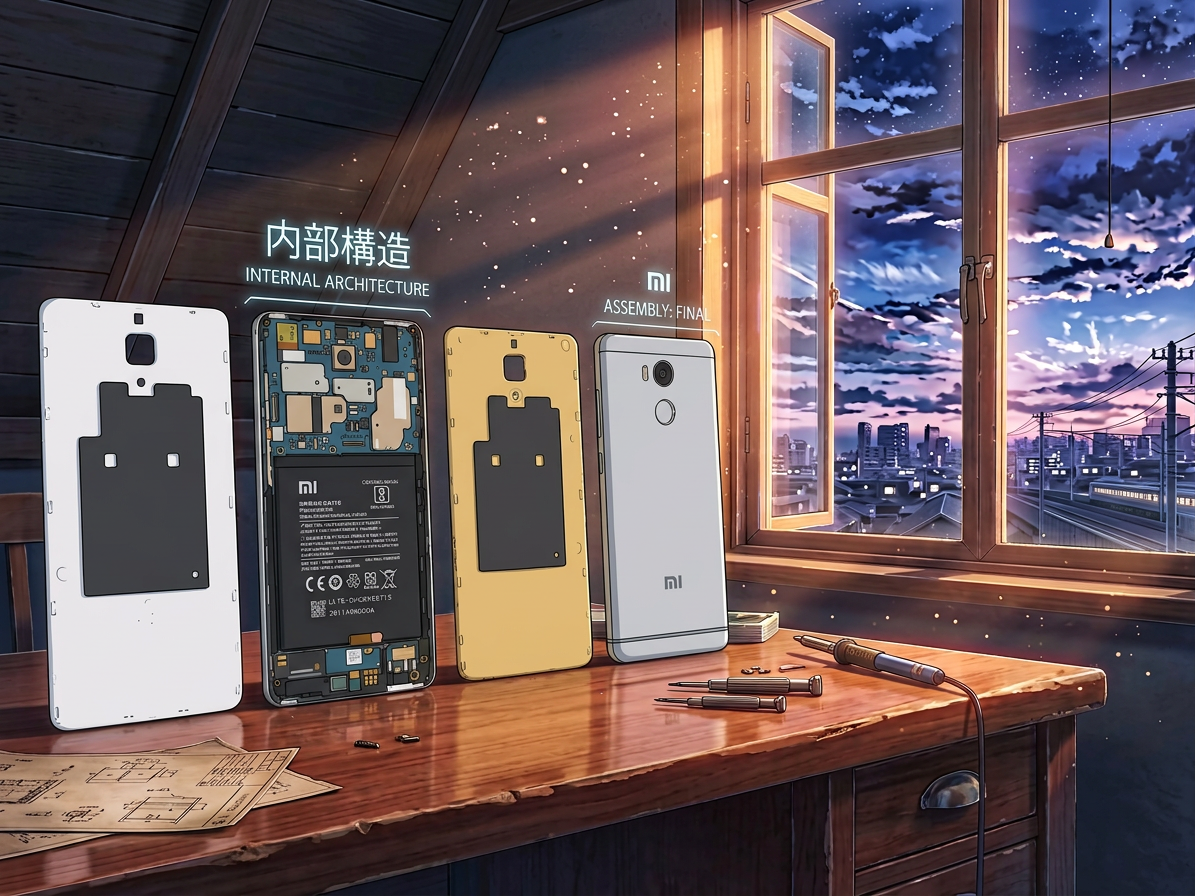
Close-up of internal components inside a Samsung smartphone, showing the motherboard, battery and flex cables during a repair in Hawke's Bay

Inside a Samsung — the motherboard, battery and flex cables that make up a modern smartphone
Batteries

  • OEM (Original Equipment Manufacturer) — the same spec as factory. Best quality, correct capacity, and full compatibility with battery health reporting.
  • Aftermarket (high quality) — reputable brands that meet or come close to OEM specs. Usually fine for most users.
  • Cheap aftermarket — avoid. Lower capacity, potential swelling risks, may not report battery health correctly.
  • Always ask your repairer what brand of battery they're using.

Other Key Components

  • Charging ports — Usually a flex cable assembly, not just the port itself.
  • Camera modules — Self-contained units. Front and rear cameras are separate and can be replaced independently.
  • Back glass — Samsung flagships use Gorilla Glass backs fused with the frame, making back glass repair more labour-intensive.
  • Logic board / motherboard — The brain of the phone. Data lives here. Logic board repairs are complex, expensive, and not always possible.
  • Speakers, microphones, and earpieces — Small components, usually replaced as part of a flex cable assembly.
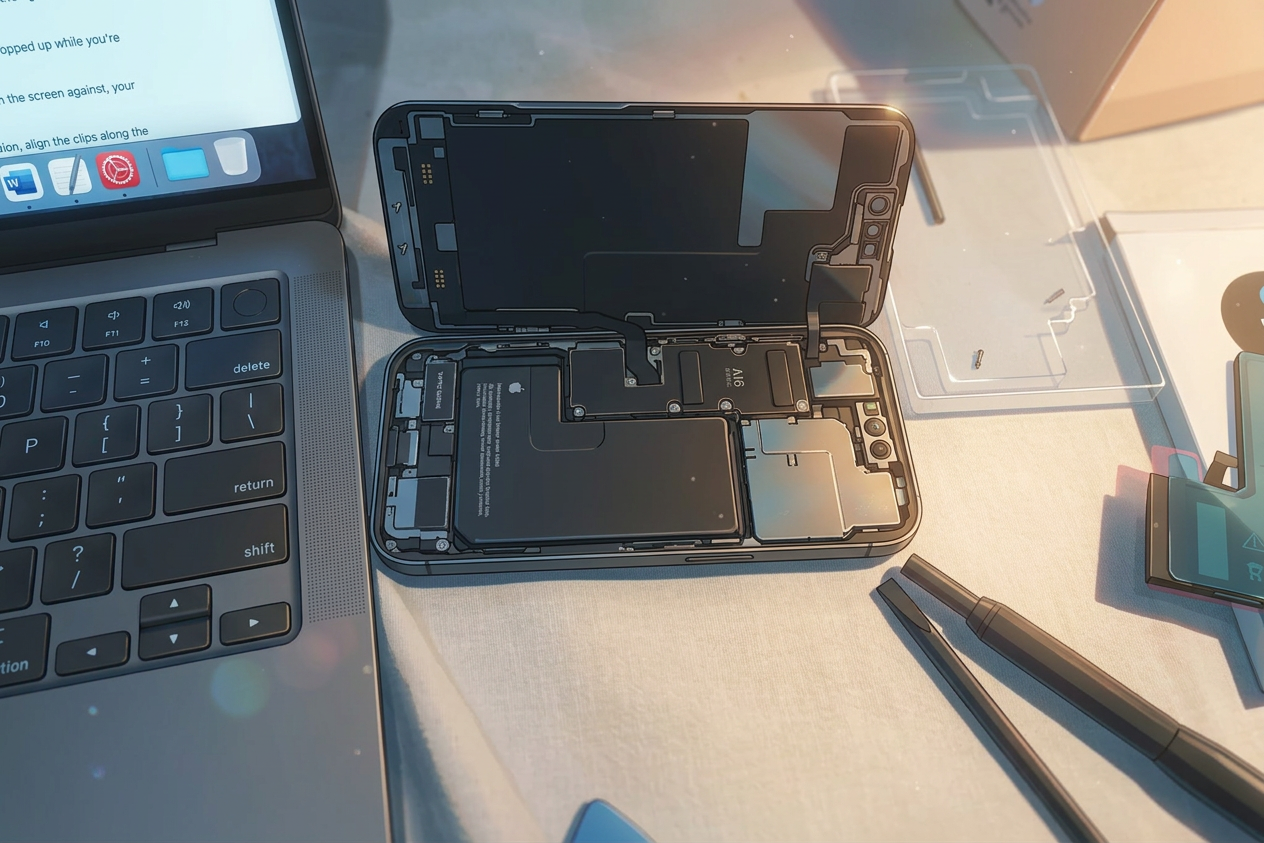
iPhone opened from the back showing the A16 Bionic chip and internal layout during a professional smartphone repair in New Zealand

The A16 Bionic chip — Apple's proprietary components are why iPhones require specialist calibration tools


Approximate Repair Times

Times below are estimates for a skilled technician with parts on hand. Walk-in availability, model complexity, and parts sourcing can all affect actual turnaround.

Repair time estimates

Repair Type iPhone Samsung Notes
Screen Replacement30–60 min30–60 minVaries by model tier
Battery Swap20–45 min20–45 minSome models require more disassembly
Charging Port45–90 min45–90 minFlex cables add time
Back Glass1–2 hours1–3 hoursSamsung flagships more complex
Camera Module30–60 min30–60 minMulti-lens models take longer
Water Damage Assessment24–48 hrs24–48 hrsBoard-level inspection required
Speaker / Microphone30–60 min30–60 minOften bundled with port repairs
Parts Availability

Common repairs for popular models (iPhone 15, Samsung S24, A55 etc.) are usually done same-day. Older, less common, or foldable models may require parts to be ordered — adding 1–5 business days.


What to Consider Before Handing Over Your Phone

These steps protect you and your data. Don't skip them.

Back Up First

  • iPhone: iCloud backup via Settings > [Your Name] > iCloud > iCloud Backup — or back up via Finder/iTunes on a computer
  • Samsung: Samsung Cloud or Smart Switch backup to a computer

Disable Device Locks

  • iPhone: Settings > [Your Name] > Find My > Find My iPhone > OFF. Required for most repairs — many repairers won't touch a locked device.
  • Samsung: Settings > Biometrics and Security > Find My Mobile > OFF

Other Steps

  • Remove your SIM card and note the PIN if applicable
  • Take photos of your phone before you hand it over — document any existing scratches or damage
  • Ask what warranty they offer on the repair — reputable shops offer 90 days minimum on parts and labour
  • Ask whether OEM or aftermarket parts will be used, and if aftermarket, what brand
Manufacturer Warranty Warning

Having your device repaired by an independent (non-authorised) repairer may void any remaining manufacturer warranty. If your device is still under warranty, weigh this up carefully — or use an authorised service provider for warranty-covered repairs.


How to Choose the Right Repair Provider

Not all repairers are equal. Here's how to tell a trustworthy shop from a risky one.

Types of Repairers

  • Apple Store / Apple Authorised Service Providers — use genuine Apple parts, maintain warranty, but are typically more expensive and slower due to demand.
  • Samsung Authorised Service Centres — similar for Samsung devices, genuine parts, warranty preserved.
  • Independent local specialists are often faster, more affordable, and highly skilled. The best ones rival authorised centres in quality. This is where you'll find most everyday repairs done well and quickly — and where the WestSide excels.
  • Mail-in repair services are convenient but you're without your phone for longer and have less recourse if something goes wrong.

Questions to Ask Any Repairer

There are repairers on the WestSide — including Mobile Point, Mobile Paradise, Phone Mate, and Phone Zone. Here are the key questions to ask before you decide:

  • Do you do repairs in-house, or do you send devices away?
  • What brand of parts do you use — OEM, OEM-equivalent, or aftermarket?
  • What warranty do you offer on this repair?
  • Are your technicians certified or trained in this brand/model?
  • Will you show me the fault before and after the repair?

Red Flags to Watch For

  • No warranty offered on repairs
  • Vague or verbal-only quotes with no written confirmation
  • Unable to tell you what parts they're using
  • Pressure to do additional repairs you didn't ask about
  • No physical shop or contact address
Why Local Independent Specialists Often Win

A well-established local repair shop lives and dies by its reputation. They're often faster than manufacturer service centres, competitively priced, and have strong incentives to do the job right. Many have been repairing phones for a decade or more and have seen every fault imaginable.


Price Ranges to Expect

Prices vary based on model, parts quality, and location. These are approximate NZD ranges for a quality independent repair using good parts. Flagship models (iPhone 15 Pro Max, Samsung S24 Ultra, Z Fold series) sit at the higher end or above these ranges.

Approximate NZD repair costs

Repair iPhone Budget–Mid iPhone Flagship Samsung Budget–Mid Samsung Flagship
Screen$80–$150$200–$400+$60–$130$150–$350+
Battery$60–$90$80–$120$50–$80$70–$110
Charging Port$70–$120$100–$180$60–$110$90–$160
Back Glass$80–$150$150–$300$80–$180$150–$350
Camera Module$80–$150$150–$300+$70–$140$130–$280+

When Is a Repair Not Worth It?

As a general rule: if the repair costs more than 50% of the phone's current market value, it may be time to consider replacement — especially if the device is several years old.

  • Check your phone's second-hand value on Trade Me before committing to a major repair
  • Water damage repairs on older devices can be unpredictable — corrosion can reappear weeks later
  • Logic board failure is often uneconomical to repair on consumer devices

After the Repair — What to Check

Don't leave the shop until you've tested everything. Most repairers expect this and will want you to check on the spot.

Your Post-Repair Checklist

  • Screen: dead pixels, colour uniformity, touch response across the full display including corners
  • Face ID / Touch ID / Fingerprint reader: test in-store
  • Cameras: front and rear, including video recording
  • Speakers and microphone: make a test call or play audio
  • Battery: check health is reported correctly in settings
  • Charging port: plug in a cable and confirm it charges
  • Buttons: volume, power, and silent/mute
Get It in Writing

Ask for a receipt that clearly shows what was repaired, what parts were used, the warranty period, and the technician's contact details. This protects you if anything goes wrong later.


Finding a Trusted Local Repairer

When it comes to getting your phone repaired, the best outcome almost always comes from working with a repairer who knows their craft, uses quality parts, and stands behind their work with a solid warranty.

In Hawke's Bay, the market for independent repair specialists has grown significantly. Local shops have invested in tools, training, and genuine parts supply chains — often delivering results that rival authorised service centres at a fraction of the cost and wait time.

What to Look for in a WestSide Specialist

  • Established presence — a physical shop with a clear address and verifiable reviews
  • Transparency about parts — willing to tell you what brand they stock and why
  • Warranty on repairs — at least 90 days on parts and labour
  • Experienced technicians — able to handle both iPhone and Samsung, including the latest models
  • Honest assessments — a good shop will tell you when a repair isn't worth doing
  • In-house repairs — devices repaired on-site, not sent away to an unknown third party

The WestSide has a strong cluster of local independent specialists worth checking out:

How to Find Them

Search local repair specialists on Google Maps, Trade Me Services, or ask in your local Hawke's Bay community Facebook groups. Check reviews carefully — look for mentions of communication, turnaround time, and whether the repair held up over time.

"Do your research, ask the right questions, and choose a local WestSide specialist you can trust."

Getting your smartphone repaired doesn't have to be stressful or expensive. With a bit of preparation — knowing your device, backing up your data, understanding what's wrong, and choosing a trusted repairer — the experience is usually fast, straightforward, and well worth it.

Most common repairs are done same-day. Most quality repairs are backed by a warranty. And most of the time, your repaired phone will serve you just as well as a brand new one — at a fraction of the cost.